
Game Controller 2 Touch PRO1.6 - Google Play
You'll be able to see results in few seconds.
Publisher Description


Play your favorite games with ANY USB/BT Game Controller (No Bans).
Game Controller 2 Touch PROis an
UNIQUE
app which allows Android Gamers to use their USB/Bluetooth Gamepads with almost
ANY Game
made for the Android. It is the most feature rich, refined and easy to use, premium Touch Emulation software. It allows for using any USB/Bluetooth Game Controller/Gamepad to control Android games through Touch Emulation. Turn any Touch-Screen ONLY game to a completely Game Controller supported one.Get precise control over your games. Win Online Battles. And much more. Now compatible with all Android Versions. No Custom Kernel required.
IMPORTANT: Root Access required with the latest Magisk.
Read User Guide carefully here:
https://goo.gl/roG96r
New Features :
------------------------
- Relative Touch[Camera Movement] System
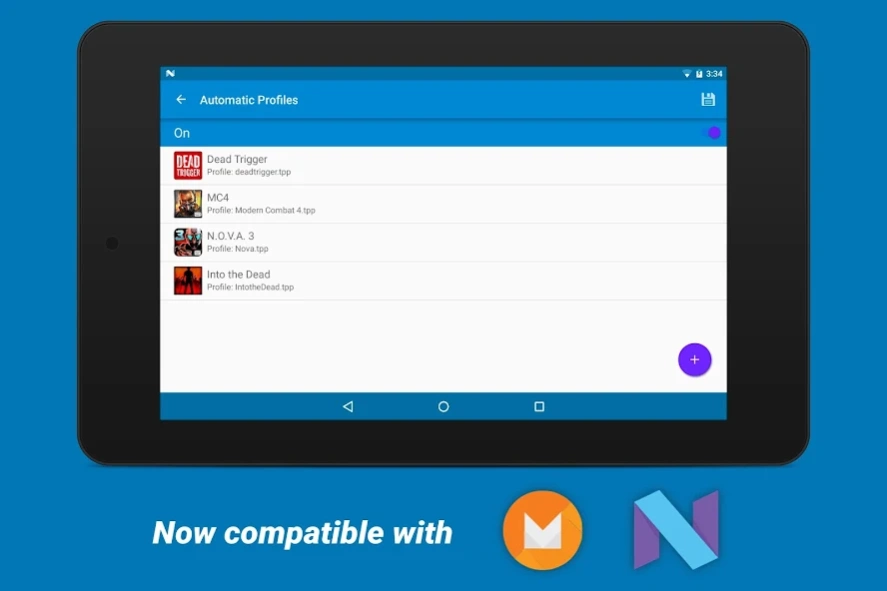
- Automatic Profile Switch
- Support for All Generic Gamepads/Joysticks,as well as renowned Controllers such as DualShock 4, Xbox 360(Wireless & Wired) Controller, Dual Shock 3 & 4, Moga Pro,etc
- Background Image Profile Tag
- Material Design User Interface
- Momentary Key Press
- 8-Way DPAD
- Refined 8 -way Swipe mechanism
- Integrated Gamepad testing interface
- Easier setup compared to Non-PRO.
- 4x-5x sized Analog Sticks , Buttons for Touch Profile Editor.
- Universal Virtual Touch Screen Driver
- Works perfectly with emulators e.g.
Dolphin, Reicast, PPSSPP , FPSE, Drastic, N64oid , Mame4Droid, etc
.
Tested Game Controllers :
--------------------------------------
Xbox One Controllers
Razer Controllers
GameSir Controllers
Wireless & Wired Xbox 360 Controller
PS4 Dual Shock 4
All iPega Controllers
All Logitech Controllers
All Moga Controllers including the New Moga Pro Power and Hero Power[HID MODE]
Nyko PlayPad/Pro
Ouya Controller
Mad Catz Controller
Samsung Gamepad
SteelSeries
nVidia Shield's Gamepad
Wired PS4 & PS3 Controllers
Snakebyte iDroid
Green Throttle Atlas
G910
Some Fake Dual Shock 3.
NOTE: Game Controller 2 Touch PRO supports lot more Controllers compared to Non-PRO.This list is
NOT
an exhaustive one. Just some Controllers the Developer has been able to test personally.
Have a pair of Joy-Cons? Joy-Con Enabler is now out on Play Store. Get it NOW :
https://goo.gl/XF9UdN
App Discussion Thread : https://goo.gl/GchbDA
Read the User Manual thoroughly & please contact at android.catalyst06@gmail.com for assistance, before putting up a negative review.
About Game Controller 2 Touch PRO
The company that develops Game Controller 2 Touch PRO is Ankit Chowdhury. The latest version released by its developer is 1.6.
To install Game Controller 2 Touch PRO on your Android device, just click the green Continue To App button above to start the installation process. The app is listed on our website since 2021-04-05 and was downloaded 0 times. We have already checked if the download link is safe, however for your own protection we recommend that you scan the downloaded app with your antivirus. Your antivirus may detect the Game Controller 2 Touch PRO as malware as malware if the download link to com.catalyst06.gc2tpro is broken.
How to install Game Controller 2 Touch PRO on your Android device:
- Click on the Continue To App button on our website. This will redirect you to Google Play.
- Once the Game Controller 2 Touch PRO is shown in the Google Play listing of your Android device, you can start its download and installation. Tap on the Install button located below the search bar and to the right of the app icon.
- A pop-up window with the permissions required by Game Controller 2 Touch PRO will be shown. Click on Accept to continue the process.
- Game Controller 2 Touch PRO will be downloaded onto your device, displaying a progress. Once the download completes, the installation will start and you'll get a notification after the installation is finished.
Program Details
System requirements
Download information
Pricing
Version History
version 1.6
posted on 2021-04-05
Fixed Issue with Saving Profile on Android 11+
version 1.5
posted on 2020-08-20
- Changed App Flow
- Updated with LibSu
- Better Compatibility with Magisk.
- Various Stability fixes.
version 1.3
posted on 2020-03-06
- Fixed Relative Touch
- Fixed Issue when both Analog Sticks are setup as Relative Touch.
- Fixed a Crash issue with Android 10
- Added Video Tutorial
- Toggle Show Touches from within App
- Added Warning.
- Various Stability fixes.
version 1.2.8.2
posted on 2020-02-20
- Fixed a Crash issue with Android 10
- Added Video Tutorial
- Toggle Show Touches from within App
- Added Warning.
- Various Stability fixes.
version 1.2.7.4
posted on 2019-10-22
THE BIG ANDROID PIE & ANDROID 10 UPDATE
--------------------------------------
. Optimised Google Play Licensing Process
. Fixed repeated Root Granted Popups.
. Now works great with Magisk.
. Now compatible with Android Pie & Android Q Beta.
. Fixed Crash on activating GC2TouchPro.
. Fixed Crash with Oreo and Pie.
. Fixed issues with Notched Devices.
. Fixed Authentication Issues.
. Added Axes Gas, Brake & Throttle used in some Controllers as Triggers.
version 1.2.7.3
posted on 2019-08-10
THE BIG ANDROID PIE & ANDROID Q UPDATE
--------------------------------------
. Fixed repeated Root Granted Popups.
. Now works great with Magisk.
. Now compatible with Android Pie & Android Q Beta.
. Fixed Crash on activating GC2TouchPro.
. Fixed Crash with Oreo and Pie.
. Fixed issues with Notched Devices.
. Fixed Authentication Issues.
. Added Axes Gas, Brake & Throttle used in some Controllers as Triggers.
version 1.2.7.2
posted on 2019-06-23
THE BIG ANDROID PIE & ANDROID Q UPDATE
--------------------------------------
. Now works great with Magisk.
. Now compatible with Android Pie & Android Q Beta.
. Fixed Crash on activating GC2TouchPro.
. Fixed Crash with Oreo and Pie.
. Fixed issues with Notched Devices.
. Fixed Authentication Issues.
. Added Axes Gas & Brake used in some Controllers as Triggers.
version 1.2.6
posted on 2017-08-12
THE BIG NOUGAT UPDATE
--------------------------------------
• Now compatible with Android Marshmallow & Nougat.
• Added Options Enabling Axis Swap
• Revamped UI & Graphics.
• Automatic Profile feature for Nougat.
• Improved Swipe Mechanism.
• New Backend. No Custom Kernel Required.
• Fixed Crash when changing profile.
• Fixed Crash when tagging background image.
• Fixed Crash on activating GC2TouchPro.
• Fixed an issue with Automatic Touch Profiles Button not working.
version 1.0.1
posted on 2015-06-25
Version 1.0.1,- Added Easy Feedback option.,- Minor changes to Gamepad Testing Interface.,- Several other stability improvements.
Disclaimer
Official Google Play Link
We do not host Game Controller 2 Touch PRO on our servers. We did not scan it for viruses, adware, spyware or other type of malware. This app is hosted by Google and passed their terms and conditions to be listed there. We recommend caution when installing it.
The Google Play link for Game Controller 2 Touch PRO is provided to you by apps112.com without any warranties, representations or guarantees of any kind, so access it at your own risk.
If you have questions regarding this particular app contact the publisher directly. For questions about the functionalities of apps112.com contact us.
